

Website security failures cost UK small businesses an average of £25,000 per incident, yet most owners discover vulnerabilities only after a breach occurs. Hidden maintenance costs and reactive security approaches leave SMBs exposed to preventable risks. This guide delivers a practical roadmap for maintaining website security with transparent pricing, measurable outcomes, and proven strategies that reduce incident frequency by 45% whilst eliminating surprise expenses.
Table of Contents
- Introduction And Prerequisites
- Core Steps For Maintaining Website Security
- Common Mistakes And How To Avoid Them
- Transparent Communication And Maintenance Approval Process
- Expected Outcomes And Success Metrics
- How Maintaina Supports Your Website Security In 2026
- Frequently Asked Questions
Key takeaways
| Point | Details |
|---|---|
| Timely updates reduce vulnerability risks by up to 80% | Applying security patches within 24 hours minimises exposure to known exploits |
| Automated backups enable recovery within hours | Regular backup testing ensures business continuity after security incidents |
| Transparent communication cuts incident response times by 35% | Client portals streamline issue reporting and approval workflows |
| Proactive monitoring lowers incident frequency by 45% | Continuous threat detection identifies vulnerabilities before attackers exploit them |
| Fixed pricing prevents unexpected costs by up to 50% | Capped quotes eliminate billing surprises and enable accurate budgeting |
Introduction and prerequisites
Before implementing security maintenance protocols, you need foundational knowledge of your website's technical infrastructure. Understanding your platform, access requirements, and available tools determines how effectively you can protect your digital assets.
Identify your content management system, hosting provider, and installed plugins. WordPress, Joomla, and Drupal each require different security approaches. Your hosting control panel typically reveals this information under site details or application management sections.
Gather essential access credentials including hosting account logins, CMS administrator passwords, and FTP details. Store these securely using a password manager rather than spreadsheets or sticky notes. Document which team members hold specific access levels to maintain accountability.
Essential tools and resources
You'll need backup solutions, security monitoring services, and update management tools. Many hosting providers include basic versions of these features, but dedicated third-party solutions often provide superior protection. Evaluate your current tools against your security requirements.
Basic cybersecurity awareness prevents human errors that compromise technical safeguards. Train staff to recognise phishing attempts, use strong passwords, and report suspicious activity. Even sophisticated security systems fail when users click malicious links or share credentials carelessly.
Commit to a regular maintenance schedule rather than sporadic attention. Weekly security scans, monthly plugin audits, and quarterly comprehensive reviews create consistency. Mark these tasks in your calendar like any other business obligation. Platforms offering managed website maintenance can automate much of this scheduling burden.
Pro Tip: Create a security maintenance checklist documenting every task, responsible person, and completion frequency. Review this document quarterly to identify gaps or redundancies in your approach.
Core steps for maintaining website security
Effective security maintenance follows a systematic approach addressing updates, backups, monitoring, and access control. These interconnected steps create multiple defence layers protecting your website from evolving threats.
1. Keep software updated promptly
Apply CMS core updates, plugin patches, and theme revisions within 24 hours of release. Developers publish updates primarily to fix security vulnerabilities that attackers actively exploit. Delaying updates extends your exposure window unnecessarily.
Test updates on staging environments before applying to live sites when possible. This precaution prevents compatibility conflicts that could break functionality. For critical security patches addressing active exploits, weigh the staging delay against immediate threat mitigation.
2. Implement automated backup systems
Configure daily automated backups storing copies in multiple locations. Your hosting server, cloud storage, and local drives should each maintain current backup versions. This redundancy protects against server failures, account compromises, and natural disasters.
Test backup restoration monthly to verify file integrity and process functionality. Many businesses discover corrupted backups only during emergencies when recovery fails. Scheduled restoration tests to staging environments confirm your backup strategy works before you desperately need it.
3. Deploy continuous security monitoring
Install security plugins or services that scan for malware, suspicious file changes, and unauthorised access attempts. Small businesses investing in proactive threat detection see a 45% drop in security incident frequency per year. Real-time alerts enable immediate responses before minor issues escalate into major breaches.
Configure monitoring thresholds to balance sensitivity against alert fatigue. Too many false positives train you to ignore warnings, whilst overly permissive settings miss genuine threats. Adjust parameters based on your website's normal activity patterns.
4. Manage user access rigorously
Limit administrative access to essential personnel only. Each additional administrator multiplies your attack surface through potential credential compromises. Review user accounts quarterly, removing inactive users and downgrading permissions for staff with changed responsibilities.

Enforce strong password policies requiring minimum lengths, character variety, and regular changes. Implement two-factor authentication for all administrator accounts. These measures significantly reduce successful brute-force attacks and credential stuffing attempts.
5. Validate security patches rapidly
After applying updates, verify website functionality across critical pages and features. Check contact forms, payment processing, user logins, and content displays. Security patches occasionally introduce bugs requiring immediate rollbacks or fixes.
Monitor site performance metrics for 48 hours following major updates. Unusual traffic drops, increased error rates, or slower load times may indicate update-related problems. Services offering website security maintenance typically include post-update monitoring as standard practice.
Pro Tip: Subscribe to security mailing lists for your specific CMS and popular plugins. Early warnings about vulnerabilities let you prepare patches before public disclosure triggers mass exploitation attempts.
Common mistakes and how to avoid them
Understanding typical security failures helps you avoid expensive lessons learned by other small businesses. Most breaches result from preventable oversights rather than sophisticated hacking techniques.
Delaying critical updates
Failure to promptly patch security vulnerabilities leads to 60% higher chances of successful cyberattacks within 30 days. Attackers scan the internet constantly for sites running known vulnerable software versions. Each day you delay updates, automated bots and manual hackers probe your defences.
Schedule updates immediately upon notification rather than batching them monthly. Critical security patches deserve interrupting regular workflows. The temporary inconvenience of testing and applying updates far outweighs recovering from preventable breaches.
Neglecting backup verification
Approximately 85% of businesses without tested backup procedures experience critical data loss during recovery attempts. Automated backup creation provides false security if the backups themselves contain corrupt files or incomplete data.
Document your restoration process with step-by-step instructions anyone on your team can follow. During monthly tests, have different staff members execute restorations to identify unclear documentation or missing access credentials.
Allowing SSL certificates to expire
Expired SSL certificates trigger browser warnings that repel visitors and destroy trust. Modern browsers display prominent "Not Secure" messages for sites lacking valid certificates, often blocking access entirely. Search engines penalise sites without proper SSL, tanking your rankings overnight.
Set calendar reminders 60 and 30 days before certificate expiration. Many hosting providers offer auto-renewal, but verify this feature activates correctly. Free SSL certificates from Let's Encrypt renew every 90 days, requiring vigilant monitoring.
Running outdated plugins and themes
Outdated plugins cause roughly 40% of WordPress security exploits specifically. Abandoned plugins lacking developer support accumulate unpatched vulnerabilities that become increasingly dangerous over time. Similarly, outdated themes often contain deprecated code with known security flaws.
Audit installed plugins quarterly, removing unused items and replacing abandoned ones with actively maintained alternatives. Research plugin developers' update histories before installation. Consistent monthly updates indicate reliable ongoing support, whilst years between releases signal abandonment risks. Platforms helping businesses avoid common website security mistakes typically include plugin auditing services.
Pro Tip: Enable automatic minor updates for plugins whilst requiring manual approval for major version changes. This balances security with control over potentially breaking updates.
Comparison of common security mistakes
| Mistake | Risk Level | Impact | Prevention |
|---|---|---|---|
| Delayed updates | Critical | 60% higher breach risk | 24-hour patch policy |
| Untested backups | High | 85% data loss chance | Monthly restoration tests |
| Expired SSL | Medium | Traffic and trust loss | 60-day renewal reminders |
| Outdated plugins | Critical | 40% of exploits | Quarterly plugin audits |
Transparent communication and maintenance approval process
Clear reporting mechanisms and predictable pricing models transform security maintenance from a source of anxiety into a manageable business process. Transparency reduces costs whilst improving response times during security incidents.
Client portals consolidate issue reporting, quote approvals, and progress tracking in single interfaces. You describe problems in plain English rather than technical jargon, receiving capped price quotes before any work begins. This approval workflow prevents surprise invoices whilst maintaining swift response capabilities for urgent threats.
Fixed-price maintenance agreements reduce unexpected costs by approximately 50% compared to hourly billing models. Knowing your monthly security expenditure enables accurate budgeting and eliminates the hesitation to report potential issues. Many businesses delay reporting suspicious activity fearing expensive diagnostic bills, allowing problems to worsen.
Benefits of structured communication
Standardised reporting templates ensure you provide complete information technicians need for accurate diagnosis. Rather than lengthy email exchanges clarifying basic details, portal forms prompt specific information upfront. This efficiency cuts diagnostic time significantly.
Priority handling systems ensure critical security threats receive immediate attention whilst routine maintenance follows scheduled workflows. You categorise issues during reporting, triggering appropriate response protocols. Suspected breaches activate emergency procedures, whilst plugin updates follow normal queues.
Real-time status updates eliminate the need for follow-up emails requesting progress reports. Portal dashboards display current task statuses, estimated completion times, and any blocking issues requiring your input. This visibility builds confidence and reduces communication overhead.
Documented approval trails create accountability and prevent scope creep. Every quote approval, change request, and completed task generates permanent records accessible through your portal. These records prove invaluable during audits, disputes, or team transitions. Services offering transparent maintenance communication typically emphasise this documentation aspect heavily.
Expected outcomes and success metrics
Measuring security maintenance effectiveness helps justify investments and identify improvement opportunities. These metrics provide concrete evidence of your programme's value beyond abstract risk reduction.
Implementing timely update protocols reduces vulnerability risk by up to 80% within the first year. This figure represents the percentage of common exploits prevented through prompt patching. Quantify this by tracking vulnerability scan results monthly, documenting the declining number of identified weaknesses.
Automated backup systems with tested restoration procedures enable recovery within hours rather than days or weeks. Measure your actual recovery time objective by timing restoration tests. Businesses without functional backups typically require 72 hours minimum for professional data recovery attempts, assuming recovery proves possible at all.
Transparent communication through client portals cuts incident response times by 35% on average. This improvement stems from eliminating email lag, clarifying requirements upfront, and streamlining approval workflows. Track the time between issue reporting and resolution commencement as your key metric.
Proactive monitoring reduces overall incident frequency by 45% compared to reactive approaches. Continuous scanning identifies vulnerabilities before attackers exploit them, preventing breaches rather than merely responding faster. Count monthly security incidents over 12 months to establish your baseline, then measure subsequent reduction.
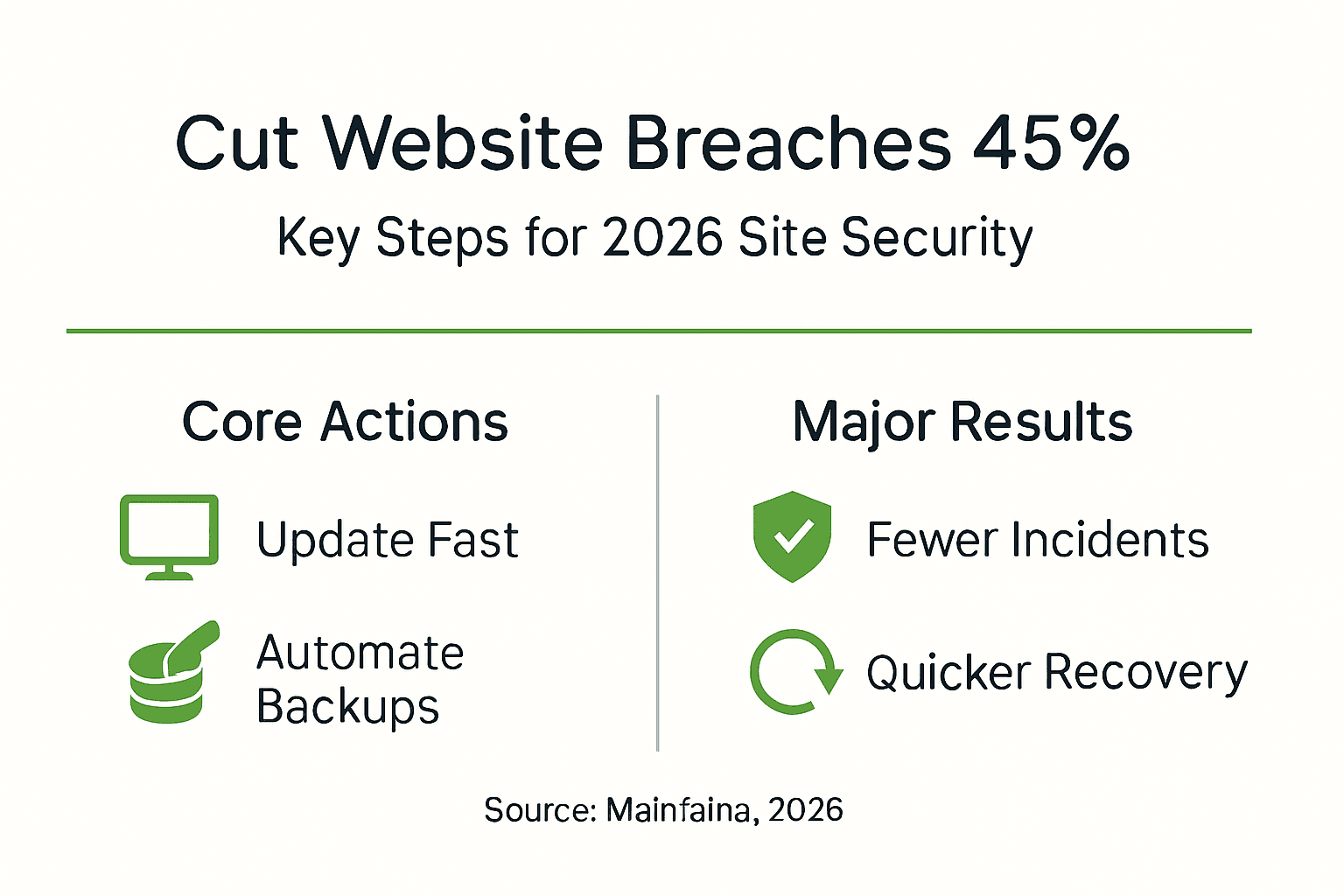
Security maintenance performance metrics
| Metric | Baseline (No Programme) | With Maintenance Programme | Improvement |
|---|---|---|---|
| Vulnerability risk | 100% exposure | 20% exposure | 80% reduction |
| Recovery time | 72+ hours | 2-4 hours | Hours vs days |
| Response time | Variable (days) | Consistent (hours) | 35% faster |
| Incident frequency | Monthly average | 55% of baseline | 45% reduction |
| Cost predictability | Highly variable | Fixed monthly | 50% less variation |
Document these metrics quarterly in executive summaries demonstrating security programme value. Concrete numbers justify continued investment and highlight areas needing additional attention. Consistent improvement trends validate your current approach, whilst stagnant or declining metrics signal necessary strategy adjustments.
How Maintaina supports your website security in 2026
Transitioning from security theory to practical implementation requires reliable partners who understand UK small business constraints. Maintaina delivers fixed-price website security maintenance eliminating the unpredictability that prevents many SMBs from maintaining adequate protection.
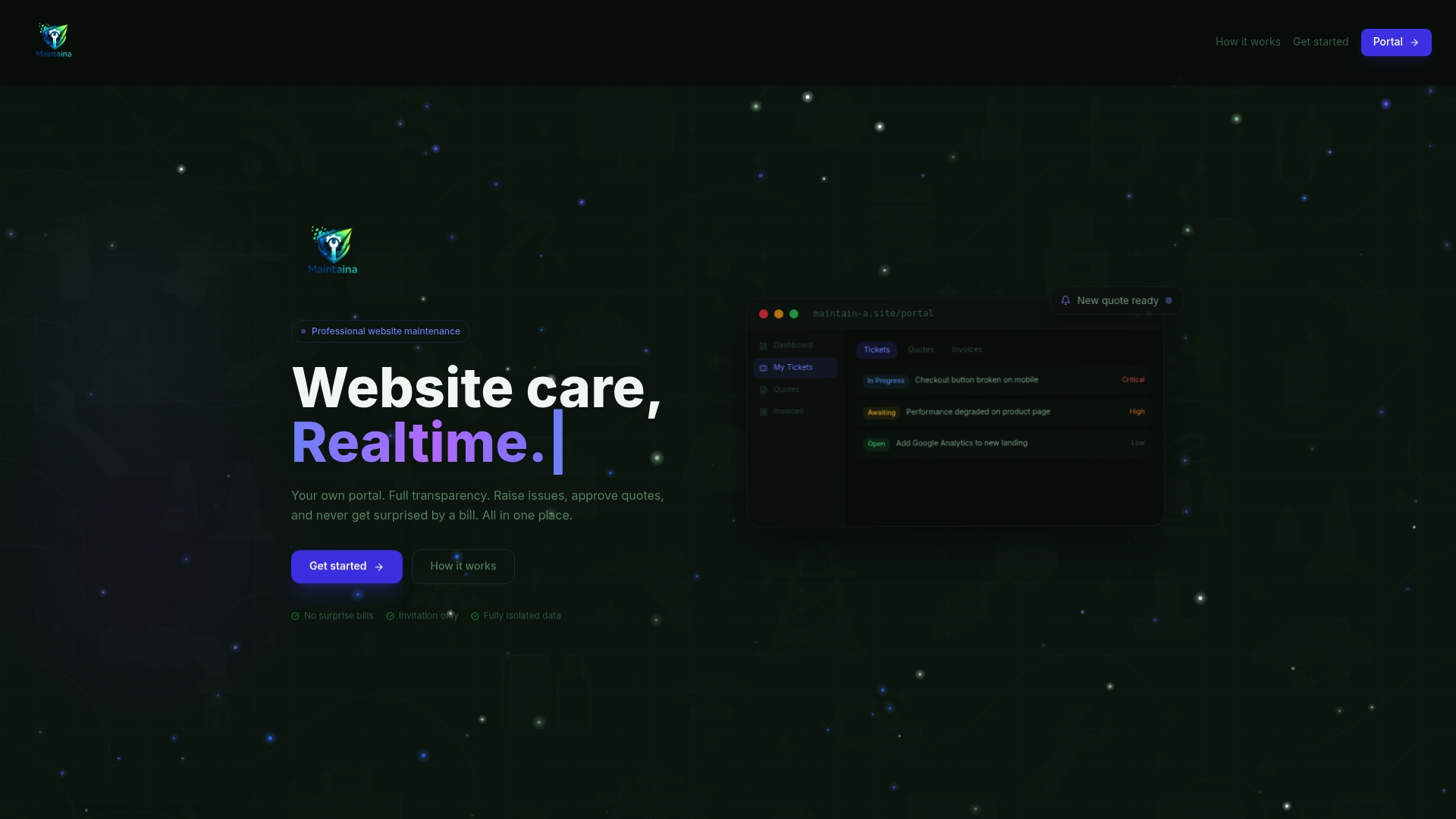
Their client portal integrates every aspect of managed website maintenance services into a single transparent interface. Report issues in plain language, receive capped quotes before work begins, and track progress in real time. This approach removes the technical barriers and cost anxieties that traditionally complicate security maintenance.
Maintaina combines the core security tasks outlined in this guide with clear pricing structures. Updates, backups, monitoring, and access management operate under predictable monthly fees rather than variable hourly rates. Priority handling ensures critical security threats receive immediate attention without emergency surcharges adding financial stress during already stressful incidents. For businesses seeking transparent website security support that matches the principles described throughout this guide, Maintaina's model delivers measurable results with complete cost visibility.
Frequently asked questions
How often should I update my website's software and plugins?
Apply updates within 24 hours of release, particularly for security patches addressing active exploits. Automated monitoring tools can alert you immediately when updates become available. Regular checks ensure you don't miss critical patches that protect against emerging threats.
What are the most common security mistakes small businesses make?
Delaying software updates, neglecting backup testing, allowing SSL certificates to expire, and running abandoned plugins represent the most frequent failures. Each mistake significantly increases breach risk and recovery difficulty. Implementing systematic maintenance schedules prevents these oversights from compromising your security.
How can transparent communication benefit my website security maintenance?
Transparent processes reduce incident response times by 35% through streamlined reporting and approval workflows. Fixed pricing eliminates cost uncertainty, encouraging prompt issue reporting rather than delayed action due to budget fears. Clear documentation creates accountability and simplifies team transitions. Platforms offering transparent maintenance communication demonstrate these benefits through measurable improvements in response efficiency and cost predictability.
Do I need professional help or can I maintain security myself?
Small websites with basic functionality may suit DIY maintenance if you possess technical skills and consistent time availability. However, most SMBs benefit from professional services providing expertise, tools, and guaranteed response times. Professional maintenance typically costs less than recovering from a single preventable breach.
How do I measure if my security maintenance is actually working?
Track vulnerability scan results, incident frequency, response times, and recovery capabilities quarterly. Declining vulnerability counts and incident rates indicate effective programmes. Regular backup restoration tests verify your recovery capabilities remain functional rather than theoretical.